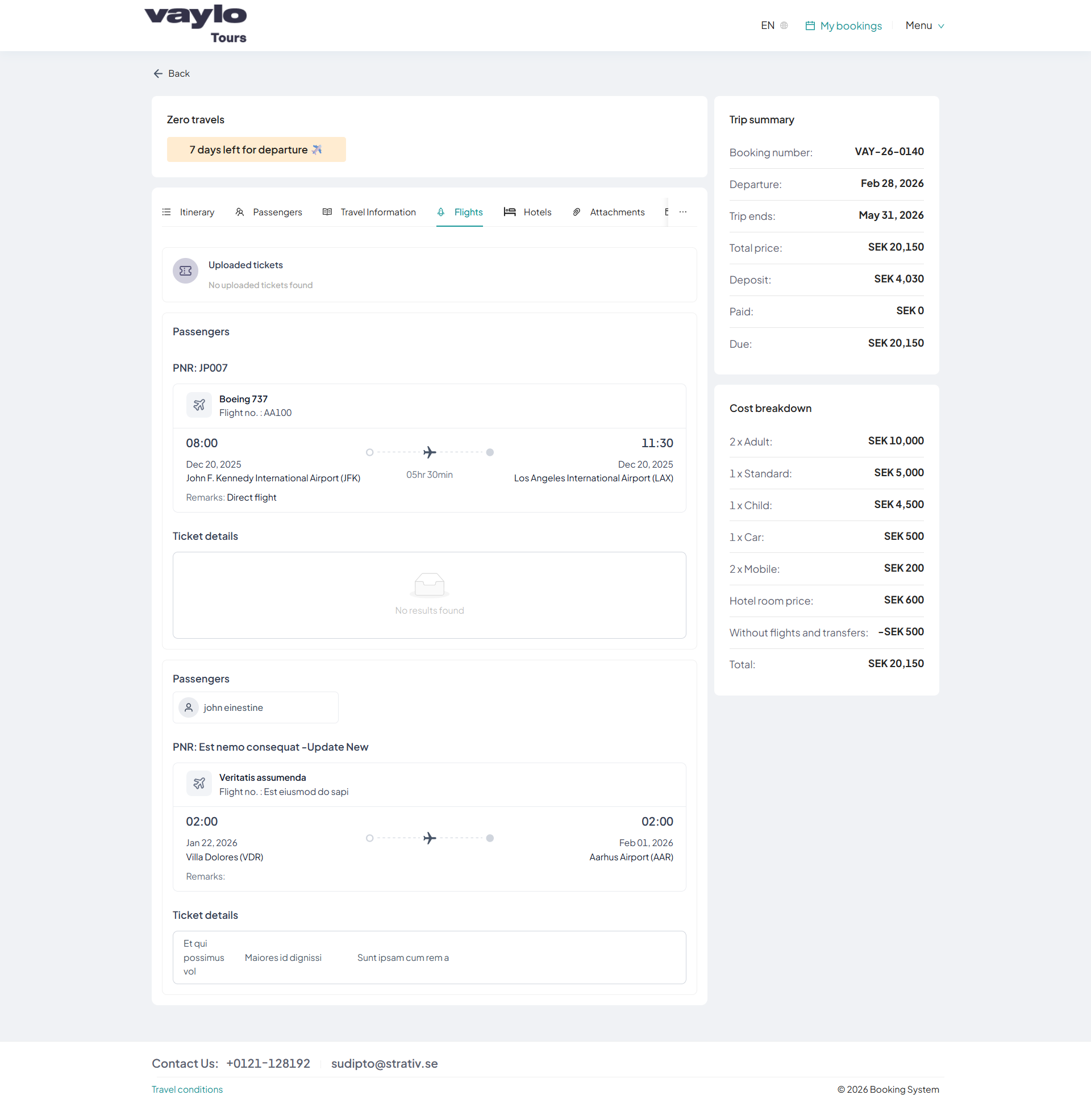
Flights
The Flights section displays all flight-related information added through the Admin Portal's Booking Itinerary tab. Flight lines are grouped under their associated passenger and PNR, and ticket details are shown where available.
Flight Information
Flight lines added in the Admin Portal are automatically reflected here. Each entry is displayed under its associated passenger and PNR, showing the following details:
| Field | Description |
|---|---|
| Passenger | The passenger this PNR is linked to |
| PNR | Passenger Name Record reference |
| Departure | Departure airport |
| Departure Time | Scheduled departure time |
| Destination | Destination airport |
| Arrival Time | Scheduled arrival time |
| Name | Flight name or description |
| Status | Booking status |
| Supplier | Airline or supplier |
| Category | Flight category |
| Board Basis | Board basis |
| Confirmation | Confirmation reference |
| Remarks | Additional notes |
Ticket Information
If a PNR has associated tickets in the Ticket Management module of the Admin Portal, the ticket information will be listed here. Clicking on a PNR name redirects to the Ticket Management module, filtered to that specific PNR. The ticket section indicates whether a ticket has been added or not.
Uploaded Ticket
If a ticket PDF has been uploaded via the Attachment button in Tour Basics, it will be displayed here. Passengers can view or download the uploaded ticket document directly from this section.
Ticket files must be uploaded through the Tour Basics → Attachment section in the Admin Portal for them to appear under Uploaded Ticket.