Task Notifications
Task Notifications allow you to set up automated email reminders for tasks and deadlines. You can also assign tasks to colleagues so nothing gets missed.
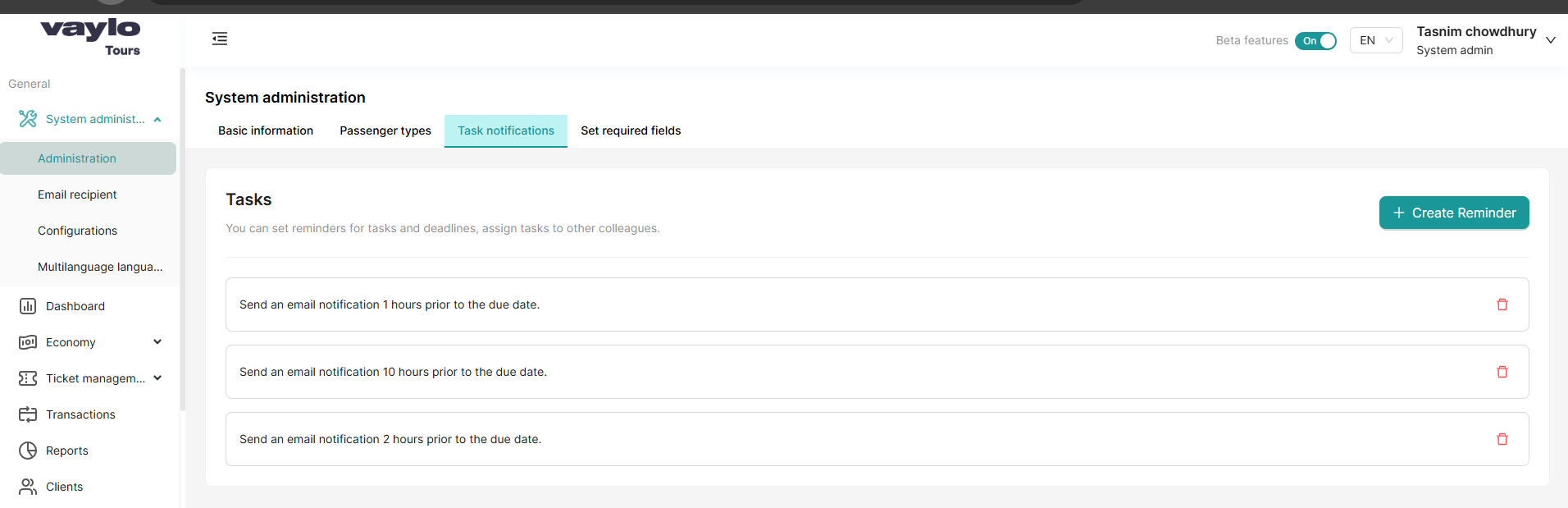
Go to System Administration → Administration → Task notifications tab
How It Works
Each notification sends an email reminder X hours before a task's due date and time. You can create multiple reminders at different intervals — for example, one reminder 10 hours before and another 1 hour before.
Existing Notifications
The page shows all currently configured reminders. For example:
- Send an email notification 1 hour prior to the due date
- Send an email notification 10 hours prior to the due date
- Send an email notification 2 hours prior to the due date
To delete a reminder, click the 🗑️ red delete icon on the right side of that row.
Creating a New Reminder
- Click + Create Reminder (top right)
- A popup will appear: Create new email notification
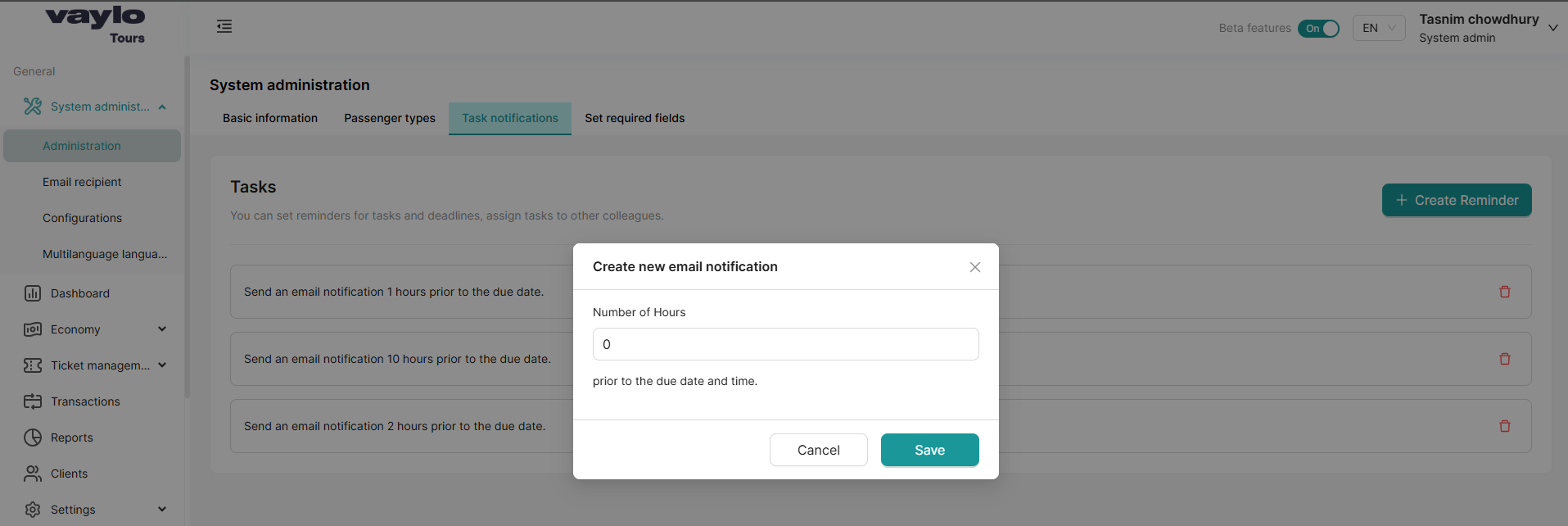
- Enter the Number of Hours — how many hours before the due date the email should be sent (e.g.,
1,10,24) - Click Save
The new reminder will appear in the list immediately.
💡 You can create as many reminders as needed. A common setup is reminders at 24 hours, 10 hours, and 1 hour before the deadline.
Task notifications work together with the Tasks feature — where you can set due dates and assign tasks to colleagues. Make sure tasks have a due date set for reminders to trigger correctly.